Transforming the eSign experience on Smallpdf
June 2020 - March 2021
Smallpdf caters to over 40 million monthly active users, offering a suite of 20+ tools to convert, compress, edit, and electronically sign PDF documents.
Digital signatures, a secure form of electronic signature, ensure the authenticity of the signer and protect documents from tampering. In 2020, I joined the eSign team at Smallpdf to revamp the eSigning experience, making it more user-friendly and intuitive. Our improvements doubled the eSign ARR, especially among users who rely on the eSign tool most frequently.
Identifying improvement areas in the eSign PDF tool through user research
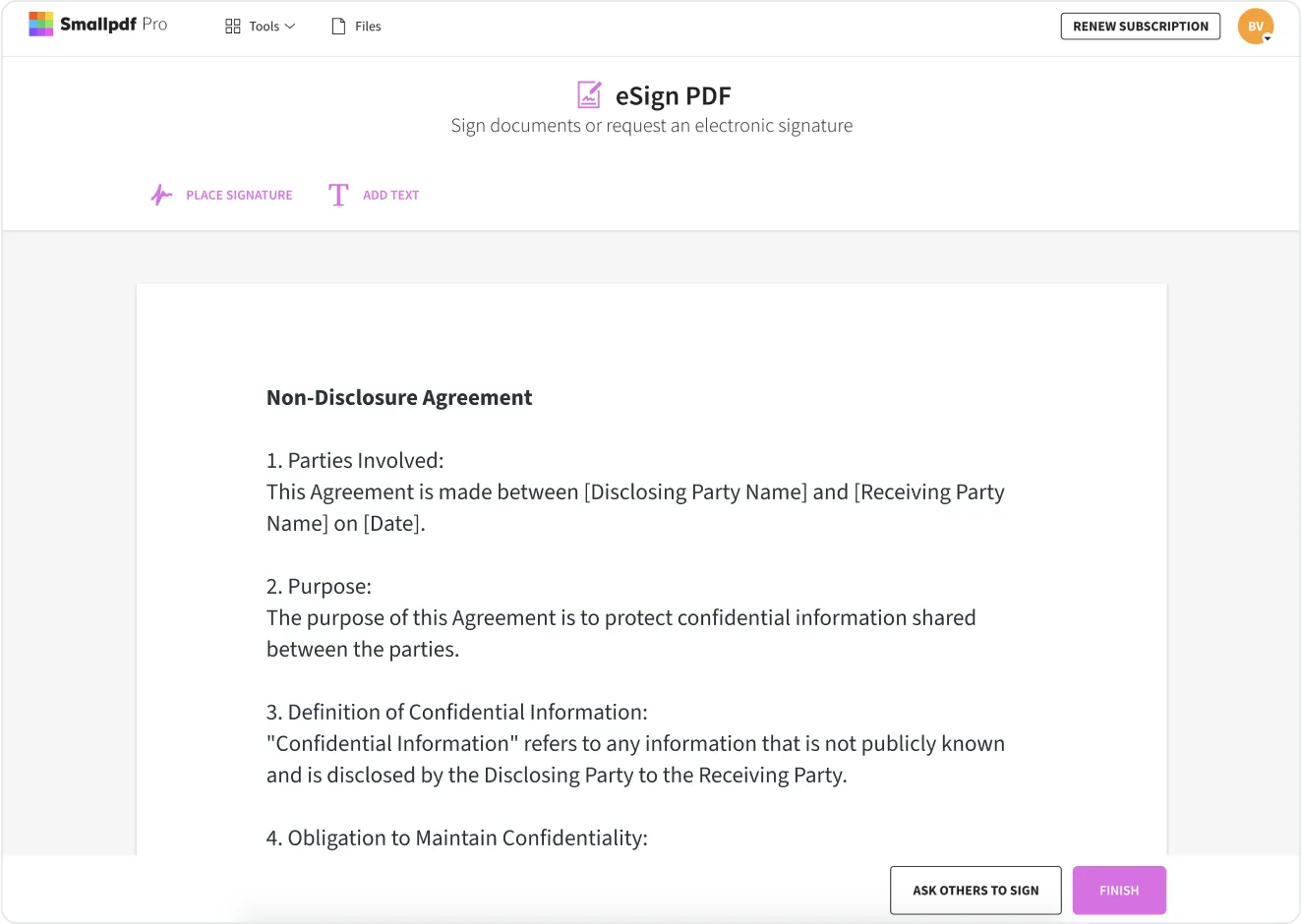
In 2020, Smallpdf’s eSign tool faced challenges due to a complicated process and missing key features. Our qualitative user research revealed that the tool only covered a small part of the user journey and handled only basic use cases. It lacked essential functionality and did not provide clarity on legal compliance.
Typically, eSign tools involve three main user flows:
- Signing a document personally
- Requesting someone else’s signature
- Being invited to sign a document
I identified the pain points users were facing based on insights from user research
Users felt the tool lacked essential features
The tool lacked basic functions like designating signing areas or adding initials.
Scalability was restricted
The UI and UX were based on an outdated tool flow, and users lacked overview of their signed documents and requests sent.
Uncertainty around legal compliance
Users were unsure if their signatures were legally accepted in their country.
Defining the goals for the new eSign redesign
After evaluating user pain points and envisioning the desired user outcomes, we established the following objectives for eSign's improvement:
Revamping eSign
Develop a competitive, lean, and user-friendly tool based on Design Sprint findings.
Implement scalable design
Adopt a flexible design approach to accommodate future enhancements without requiring significant mid-term changes.
Enhancing legality
Clearly communicate the legality of signatures created using our tool to give users a greater sense of security and ensure their documents are legally valid.
Creating the new eSign experience
Bringing cross-functional team members together for better alignment and ideas
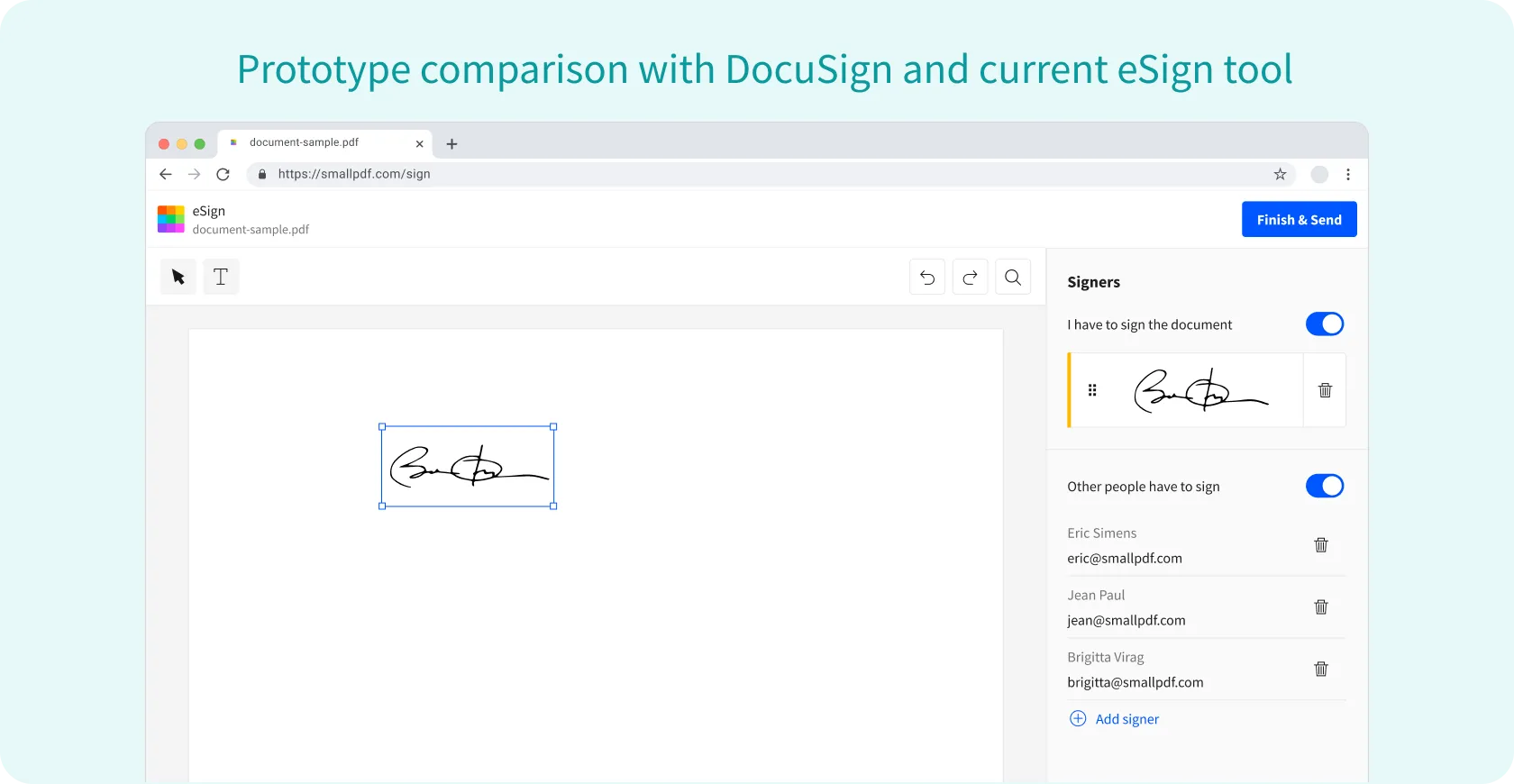
I joined every user testing session where we evaluated prototypes from the design sprint, comparing them to Smallpdf’s existing eSign tool and DocuSign, creating additional versions and conducted a comprehensive competitor and business analysis to gain insights into the eSignature landscape.
💡 Key insights from the eSign prototype comparison and user testing
- Our prototype was easier to use and quicker to get started compared to both DocuSign and the old eSign tool.
- Users required the ability to add free text (e.g., names, dates) for both signers and receivers, which was unclear or insufficient in DocuSign and the old Smallpdf tool.
- Users valued the timeline/activity feed for tracking document status and following up on pending actions, which added significant value compared to paper-based workflows.
Defining the MVP
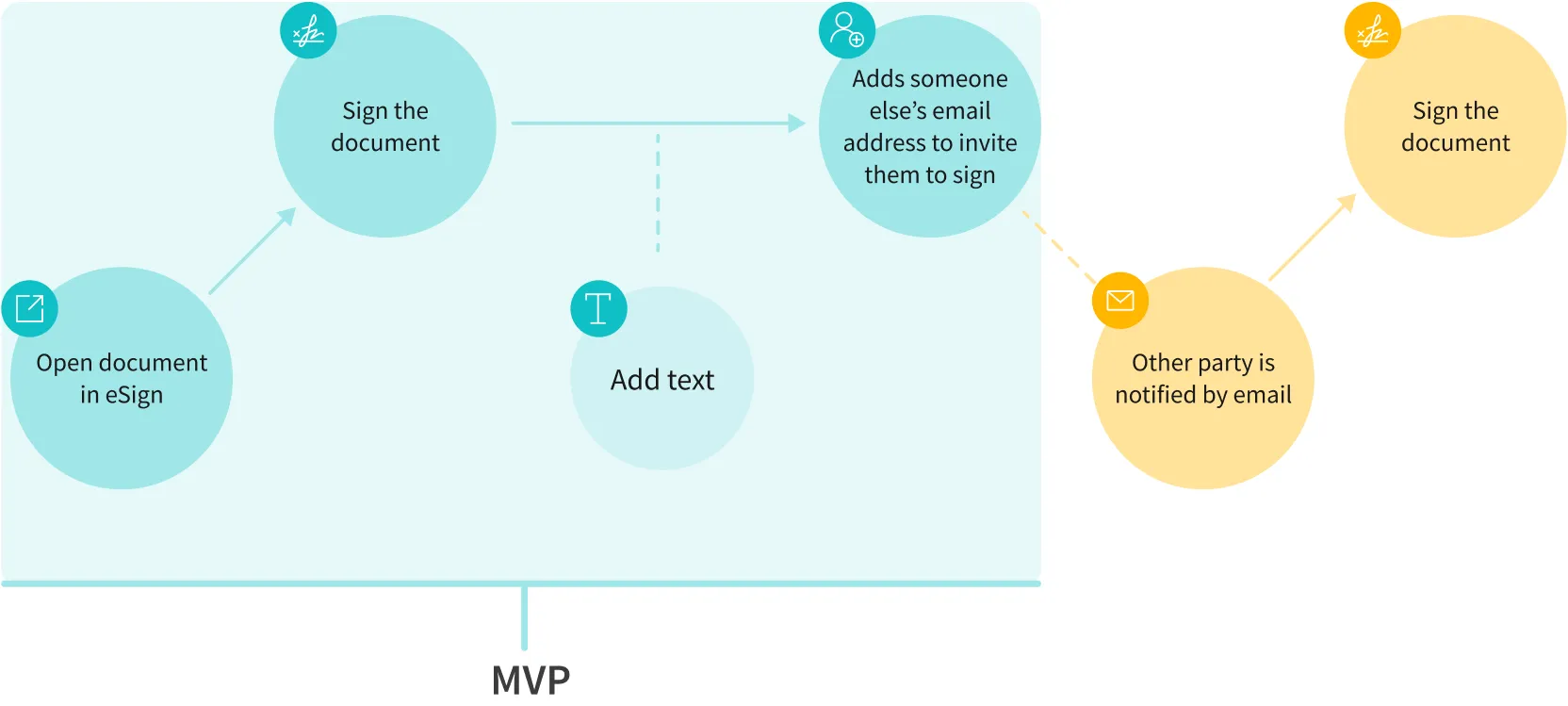
After identifying core features (table stakes) and nice-to-have features, I collaborated with the product manager and engineering team to understand the technical challenges and product roadmap. Our priority was to start learning quickly, so we chose a critical part of the user journey—enabling users to self-sign and send sign requests. Together, we defined the essential features for the MVP and launched it, focusing on delivering immediate value while gathering insights for further development.
Evolving the MVP into a Minimum Lovable Product
We launched our first MVP experiment with a simple flow, releasing it to 50% of new users. This initially resulted in a 10% decrease in users reaching the result page. At the same time, we conducted a usability study comparing the two versions and gathered user feedback. I worked closely with the team to iterate on areas of confusion and user-reported difficulties. Changes included refining text and terminology, as well as adding an onboarding flow.
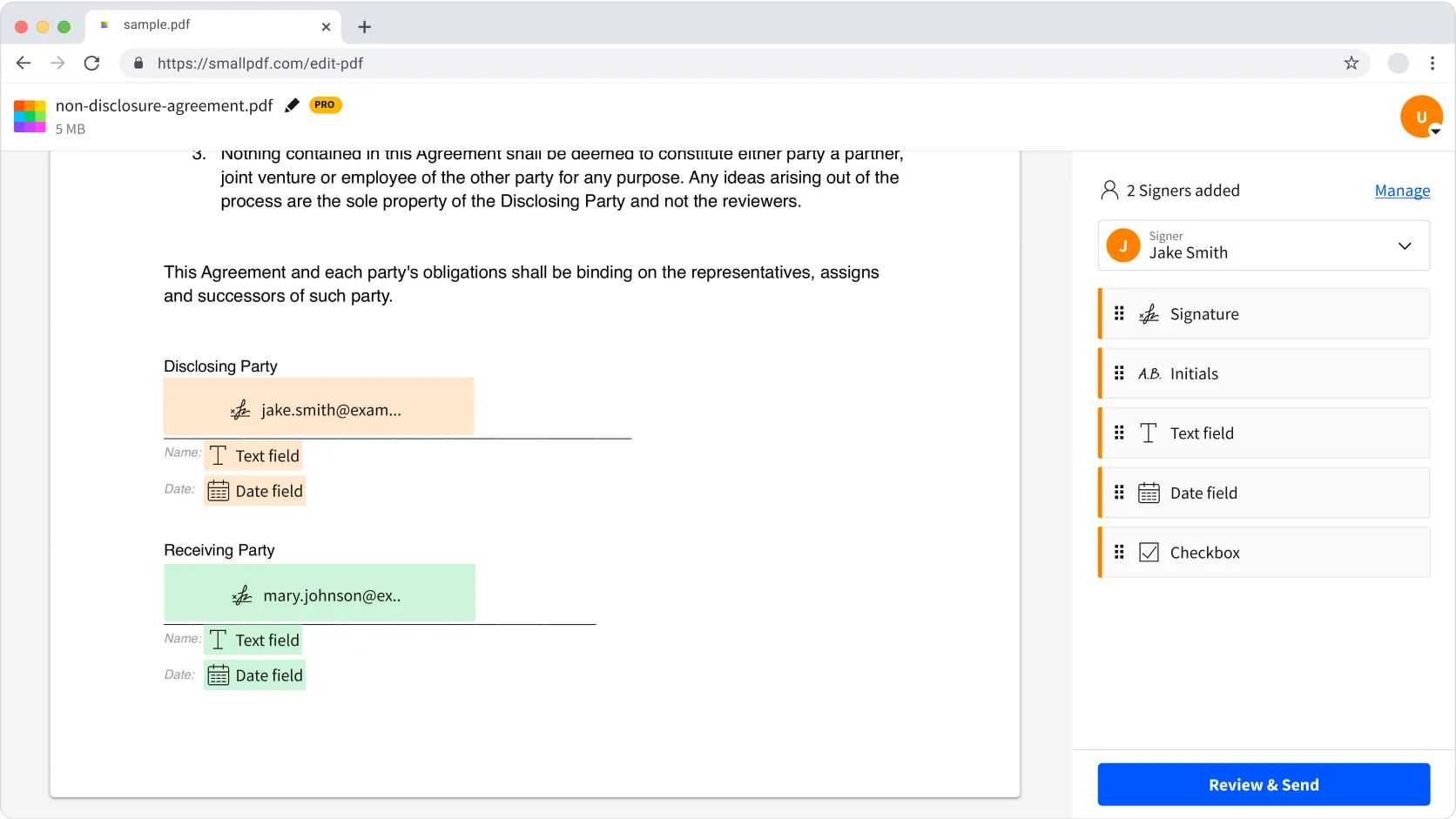
With these adjustments and new features, the MVP evolved into a Minimum Lovable Product (MLP), improving the signing success rate by 5%, which met the criteria for releasing the new version. Over time, we continued enhancing the product, further increasing the success rate. Key improvements included allowing signers to add initials, specifying signature locations for invited users, and improving the signing experience for invitees, enabling them to sign at designated spots seamlessly.
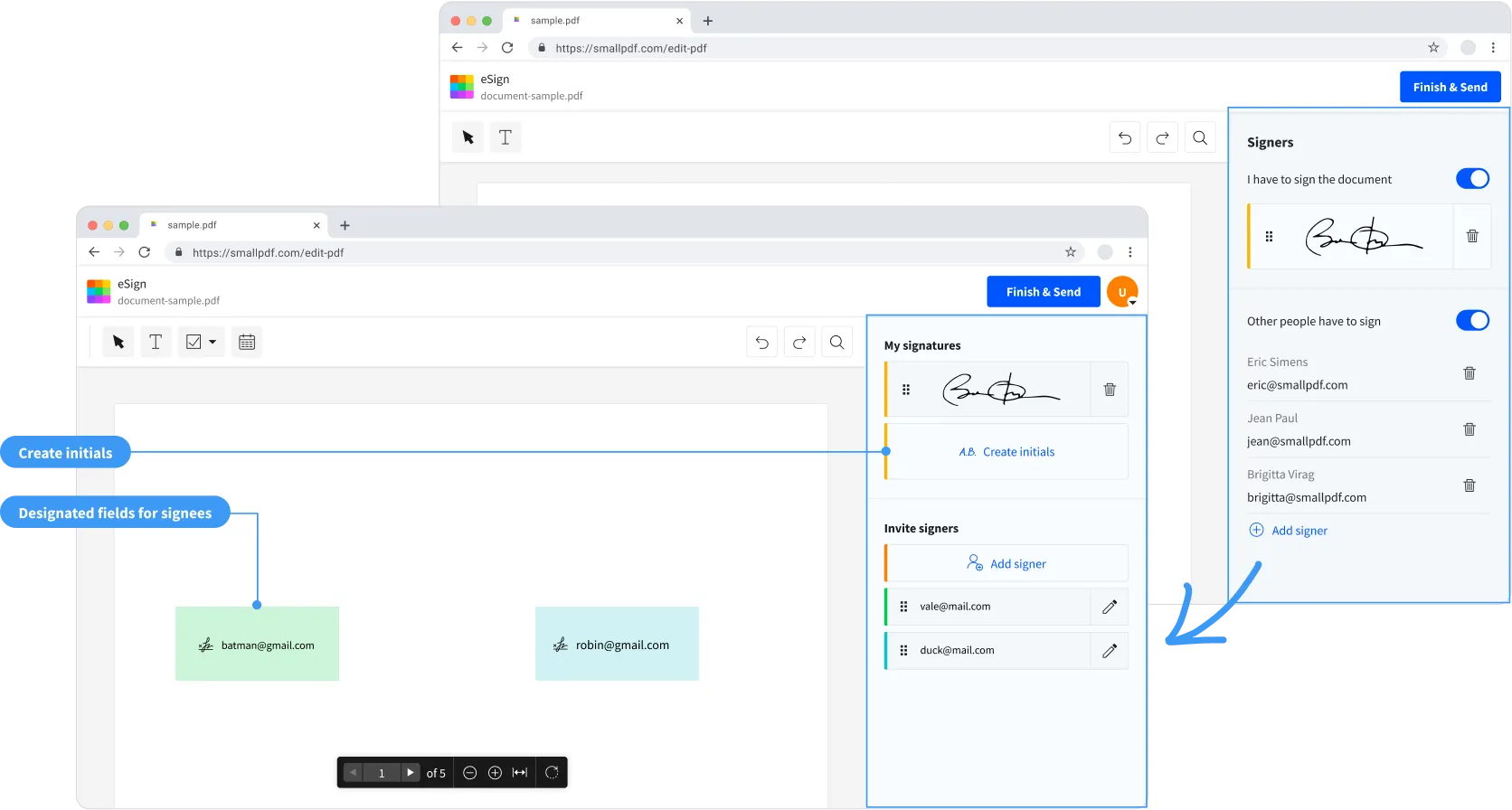
Continuously gathering user insights to enhance the product
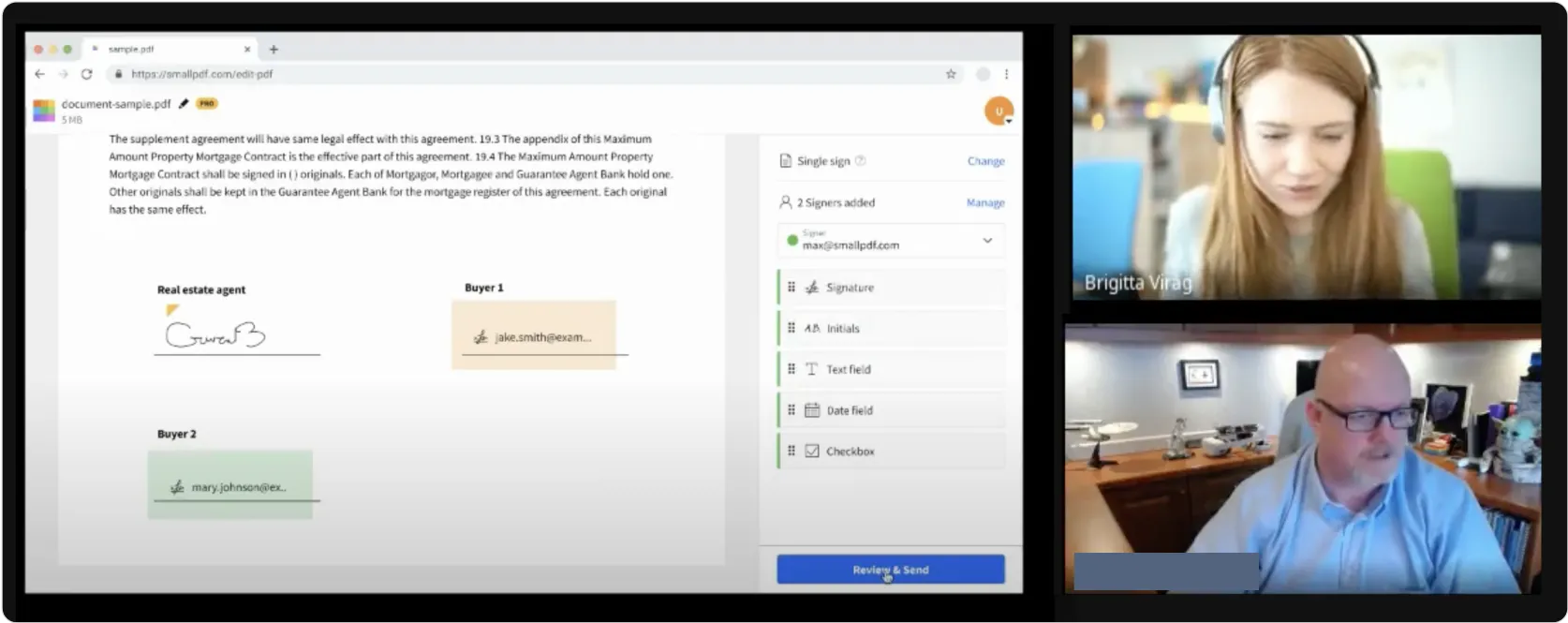
As our understanding of user needs deepened, we reevaluated how to best support signature requestors in gathering necessary information—similar to signing contracts in person or using colorful sticky notes to mark signing areas. To achieve this, I actively conducted user interviews and gathered feedback from various sources, including support tickets, B2B leads, Hotjar surveys, and moderated interviews.
My role involved expanding the tool’s features while ensuring scalability for future updates and maintaining a simple, user-friendly interface. Through this ongoing improvement process, we aimed to deliver an intuitive eSigning experience.
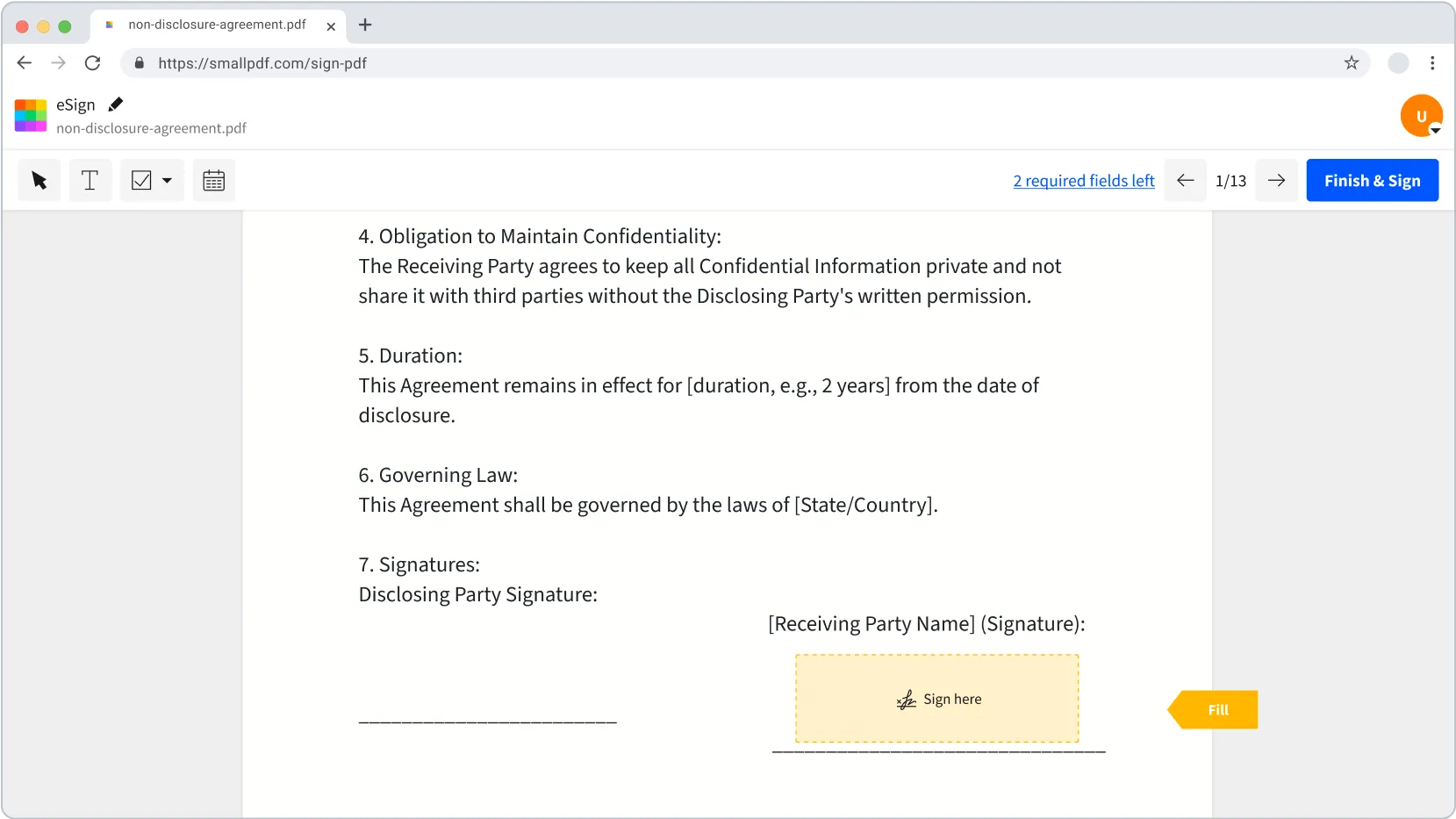
Incorporating all essential features into the tool
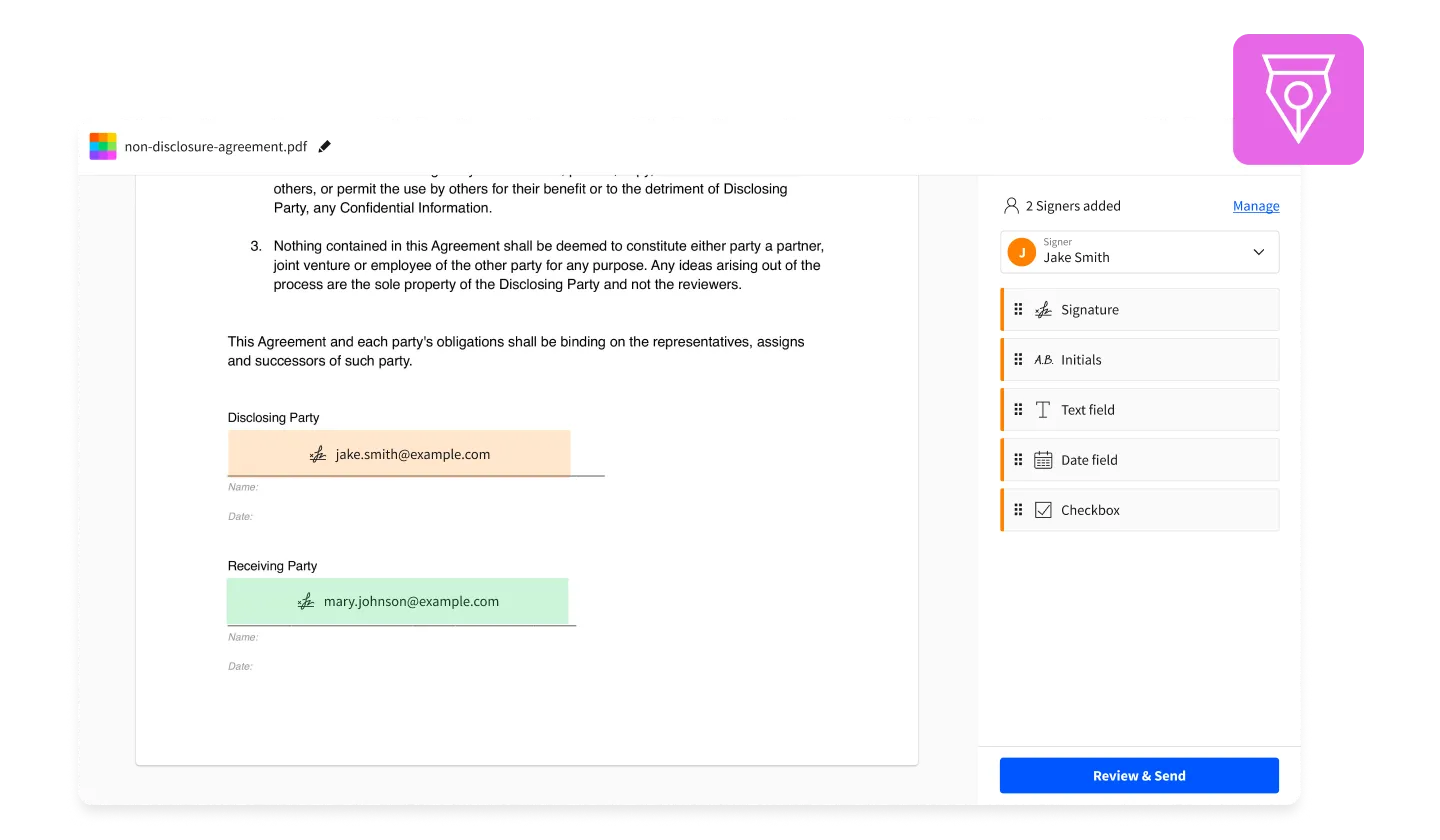
By focusing on research, iterative design, and user feedback, we developed a solution for the three main user flows: signing one’s own document, inviting others to sign, and efficiently signing a sign request. The following mocks highlight key touchpoints in the eSign experience that I designed to address users’ diverse needs while maintaining simplicity and scalability.
1. Enabling users to create their signature in three ways: drawing, typing, or uploading.
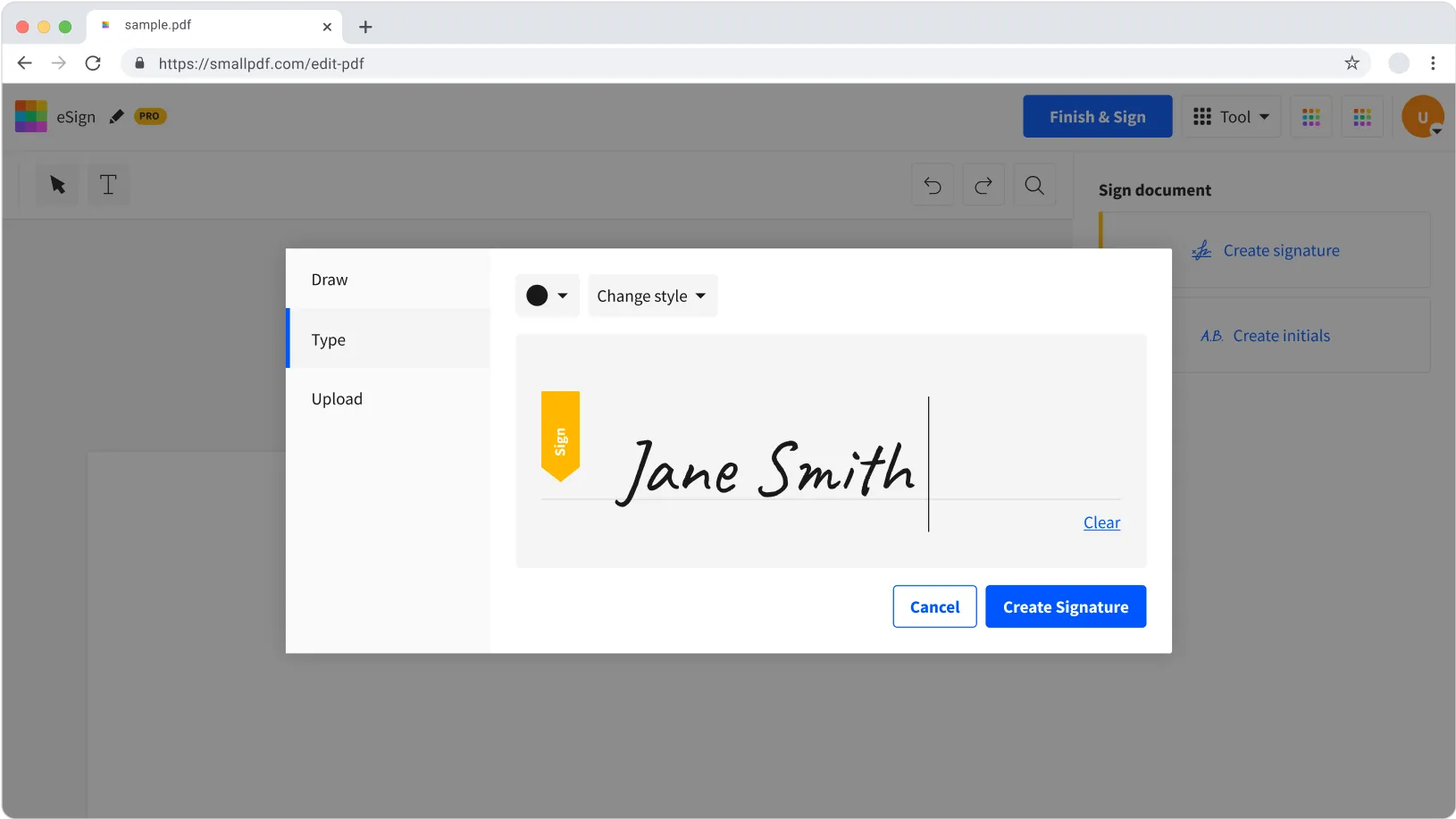
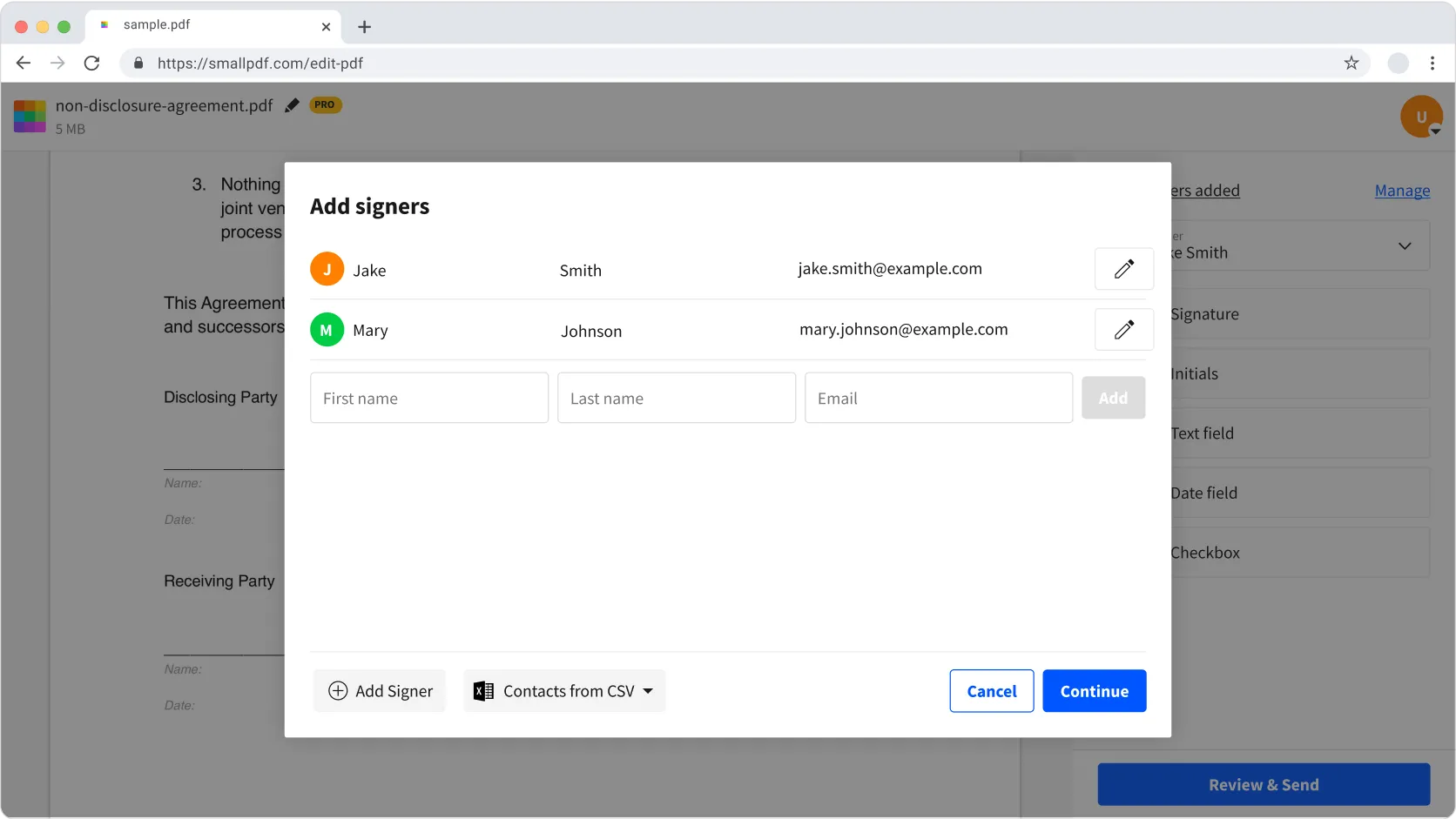
2. Providing requestors with a way to collect signatures from others and helping signees know where to sign
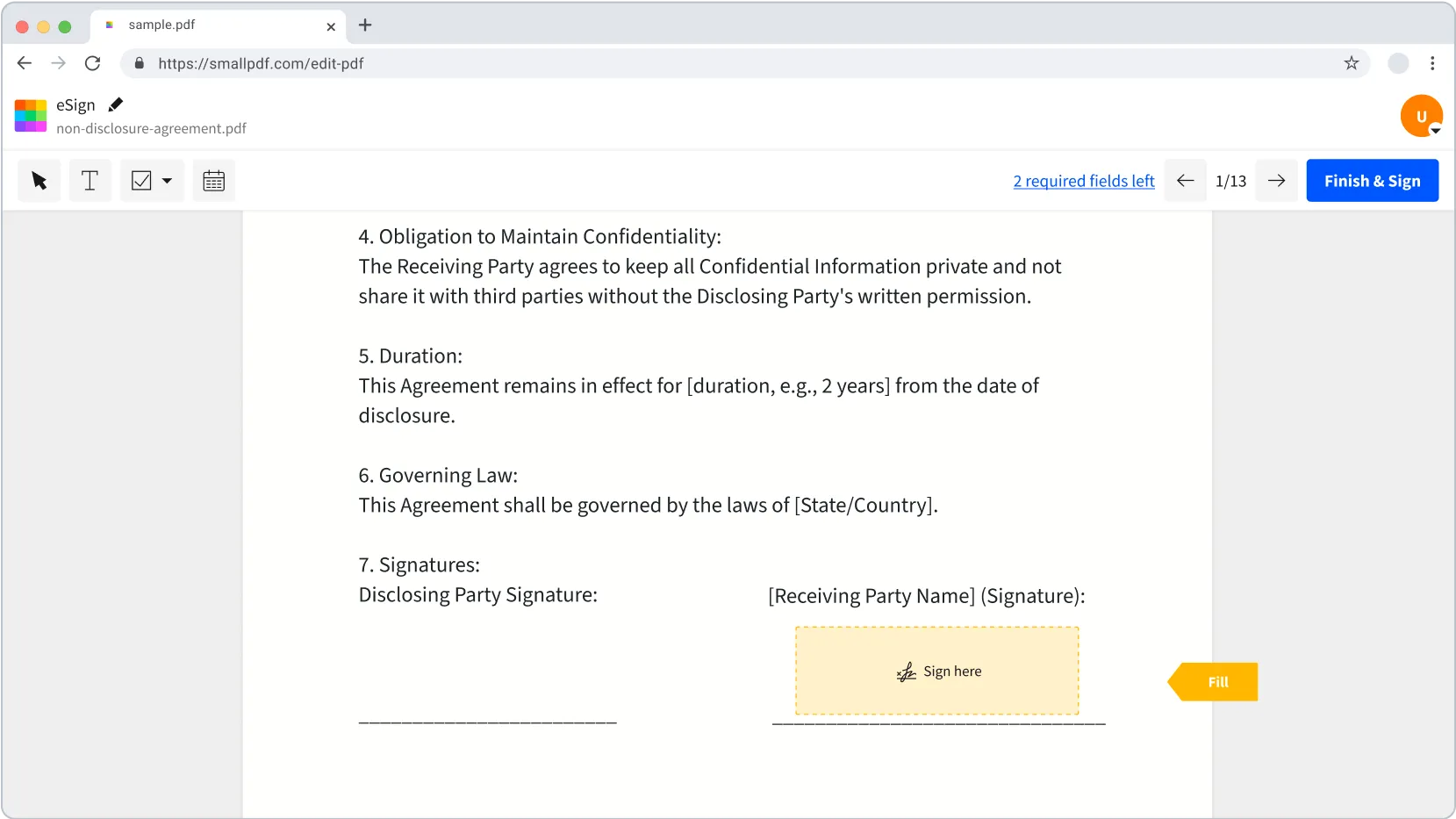
3. Allowing signees to quickly jump to all relevant fields
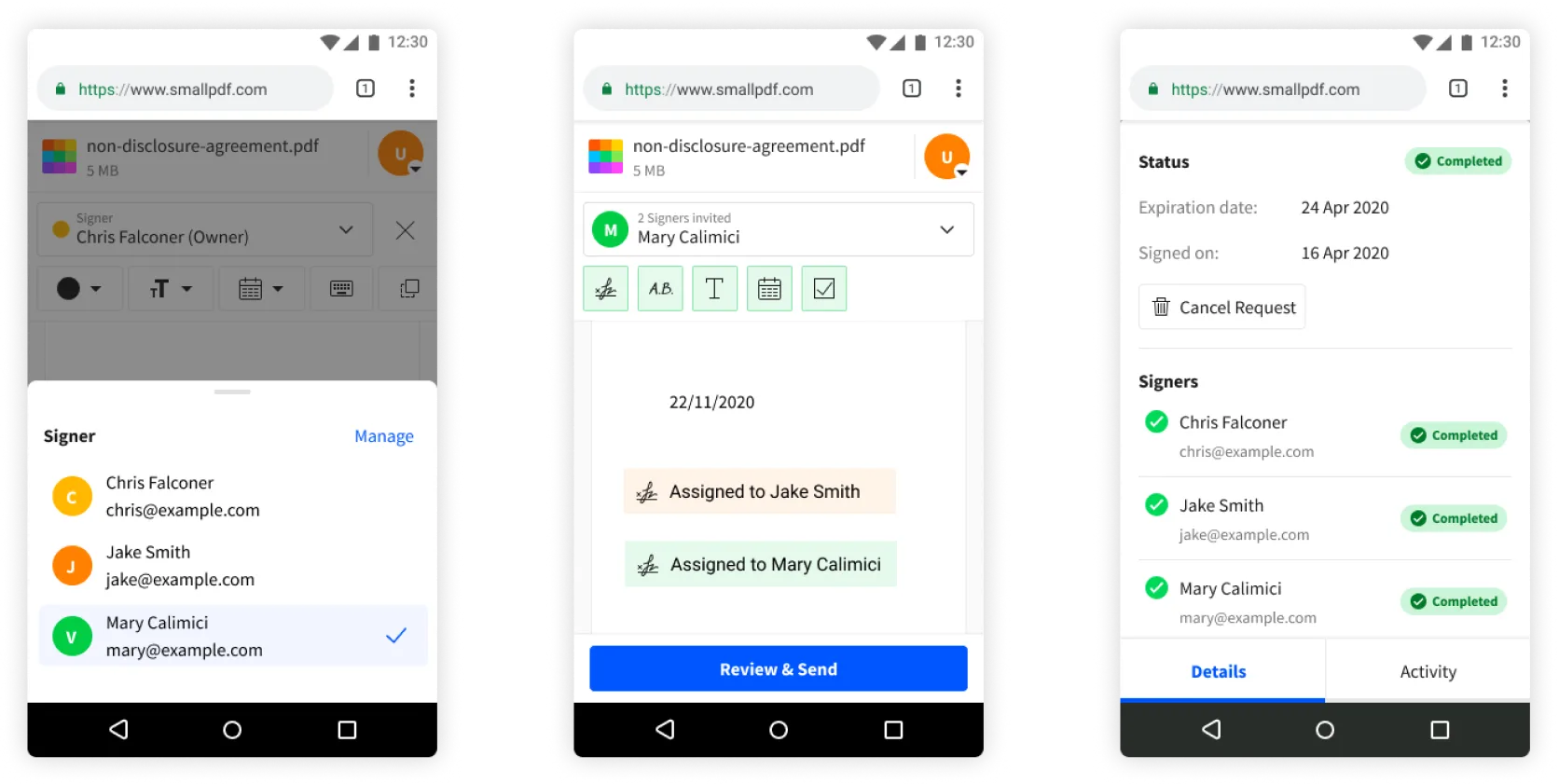
4. Making it possible for sign requesters to create requests on the go
Results
- 97% increase in ARR for users whose most used tool is eSign.
- 187% increase in users sending sign requests, nearly tripling the number of users starting to send sign requests.
- 48% increase in users signing documents weekly, showing a significant boost in engagement.